
Did you know there are many online music marketing opportunities which you probably don’t know about? And new ones are happening and being created all the time.
But how do we find and monitor these prospects? We use Google Alerts.
Table of Contents
What Are Google Alerts?
Wikipedia describes Google Alerts as:
“Google Alerts is a content change detection and notification service, offered by the search engine company Google. The service sends emails to the user when it finds new results—such as web pages, newspaper articles, blogs, or scientific research—that match the user’s search term(s)”
Basically, we can have Google notify us (by email or RSS) when certain things are mentioned on the web. In our case, we’ll be setting up alerts to find marketing opportunities for music (or in my case my DJ mixes).
This means we’ll get to know about useful opportunities when they happen. And this allows us to promote our music in a wider number of places.
Getting Started
There are a few steps to this process. They are:
- Establish the vocabulary of the industry area we are trying to monitor
- Create a list of words or phrases commonly used within our industry
- Create and test our advanced Google searches
- Refine our advanced queries
- Create our alerts
- Monitor our alerts
- Tweak and improve our alerts over time
Establishing Our Vocabulary
This part of the process is based on this old blog post on ResearchBuzz by the superb and tireless Tara Calishain (BTW I recommend following her blog, it’s full of useful info and it’s been a favourite site of mine for nearly a decade).
Find Old Opportunities First
In my first example, I’ll be trying to find DJ competitions. But “DJ competition” could easily be “singing competition” or “hip hop track competition”, etc. The approach is the same, you just need to substitute words from your industry with the ones I use.
Moving on…
First, we need to find relevant old pages around our chosen main phrase. So, head over to Google and type in your chosen phrase.
Personally, I like to do this in incognito mode in Chrome, or Private mode in Firefox, Bing or Safari. It’s not that I’m after hiding anything, it’s just that Google personalises your search results based on your past searching history. This is especially the case if you’re logged into Google. By using an incognito tab we can reduce any bias creeping into our results.
Also, incognito mode displays Google Ads. It’s not a bad idea to view websites which are running ads against your keywords, because those ads – and the websites running them – can be great sources for expanding our vocabulary.
Below is a screenshot from my Google search results:
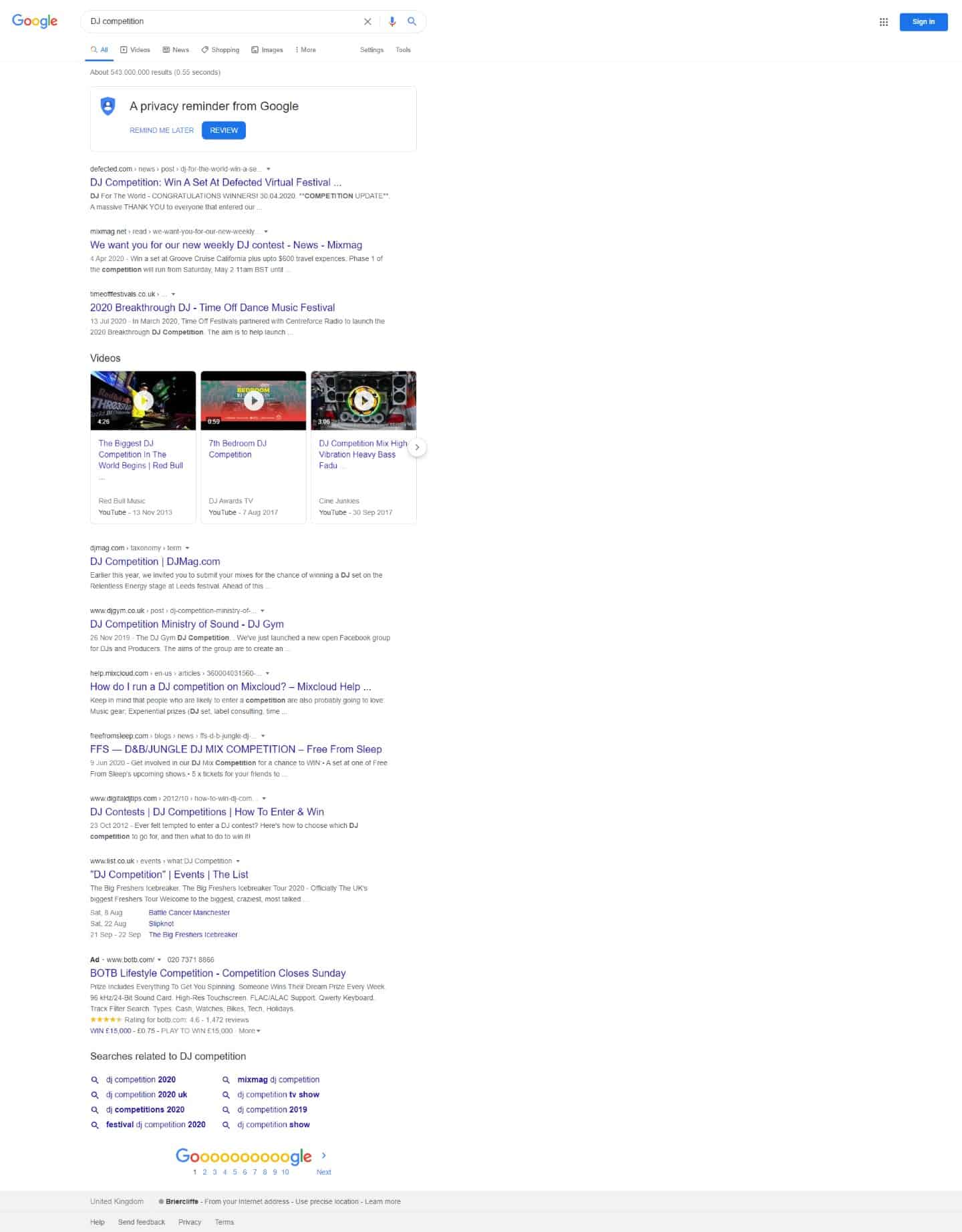
Now open all the pages. I’d ignore the YouTube videos because there’s never enough text on those pages when we’re gleaning vocabulary.
What to Look for When Creating Our Vocabulary
The next step is to read all the search results, find any repeated phrases and note them.
Using the top 10 search results in Google, I found the following commonly used phrases related to my head term: DJ competition.
- DJ competition (our seed keyword)
- DJ mix competition
- Win a DJ set
- Competition to DJ
- DJ contest
- Mixcloud competition
- Festival competition
- Breakthrough DJ
- DJ finalists
We now have established our baseline keyword list – but we can make it bigger and better.
The key to this process is finding goldilocks terms: we want keywords which are just specific enough to produce reliable and relevant results. However, if we make them too specific our alerts will likely yield too few findings.
One thing to notice is that I’ve avoided any brand name terms in my keyword list. Those search terms would be too precise. The only exception is Mixcloud because I know that Mixcloud is a big site and it’s likely to run contests on its platform.
Expanding Our Keyword List
It’s easy to expand our list by replacing words with terms/names common to our industry. And we can use tools like a thesaurus to help find alternatives.
A quick look at the above 9 words and we can turn that into 11 terms.
I can replace the word competition with contest; Mixcloud could be replaced with another music hosting website like Soundcloud; and I could replace mix with mixtape.
So now our keyword list looks like this:
- DJ contest (our seed keyword)
- DJ mix competition
- DJ mixtape competition
- Win a DJ set
- Competition to DJ
- Contest to DJ
- DJ competition
- Mixcloud competition
- Soundcloud competition
- Festival competition
- DJ finalists
So just by having a little think about our list, and using our knowledge of our industry, we can expand our list.
OPTIONAL TIP: You could create even bigger lists by repeating the above process with each of the above 11 keywords. You could then repeat the process further still with any new keywords you find. It’s up to you how far down the rabbit hole you want to go with this. However, just remember the law of diminishing returns kicks in after a while.
NOTE: When testing big queries in Google, the search engine will often warn you it’s ignoring subsequent words because they limit queries to 32 words. This is fine because, as far as I’m aware, Google Alerts places no such restrictions on big queries.
Setting up Google Alerts
Let’s now see what happens when we feed our keyword list into Google.
Tip: You can force Google to search for mentions of a whole phrase by enclosing it with quotation marks like: “Win a DJ set”.
Tip 2: We also want to add an OR operator, or a pipe (the | symbol) between our keywords to tell Google we’re looking for multiple phrases.
Here’s the query we’re feeding into Google:
“DJ contest” OR “DJ mix competition” OR “Win a DJ set” OR “Competition to DJ” OR “DJ competition” OR “Mixcloud competition” OR “Festival competition” OR “Breakthrough DJ” OR “DJ finalists”
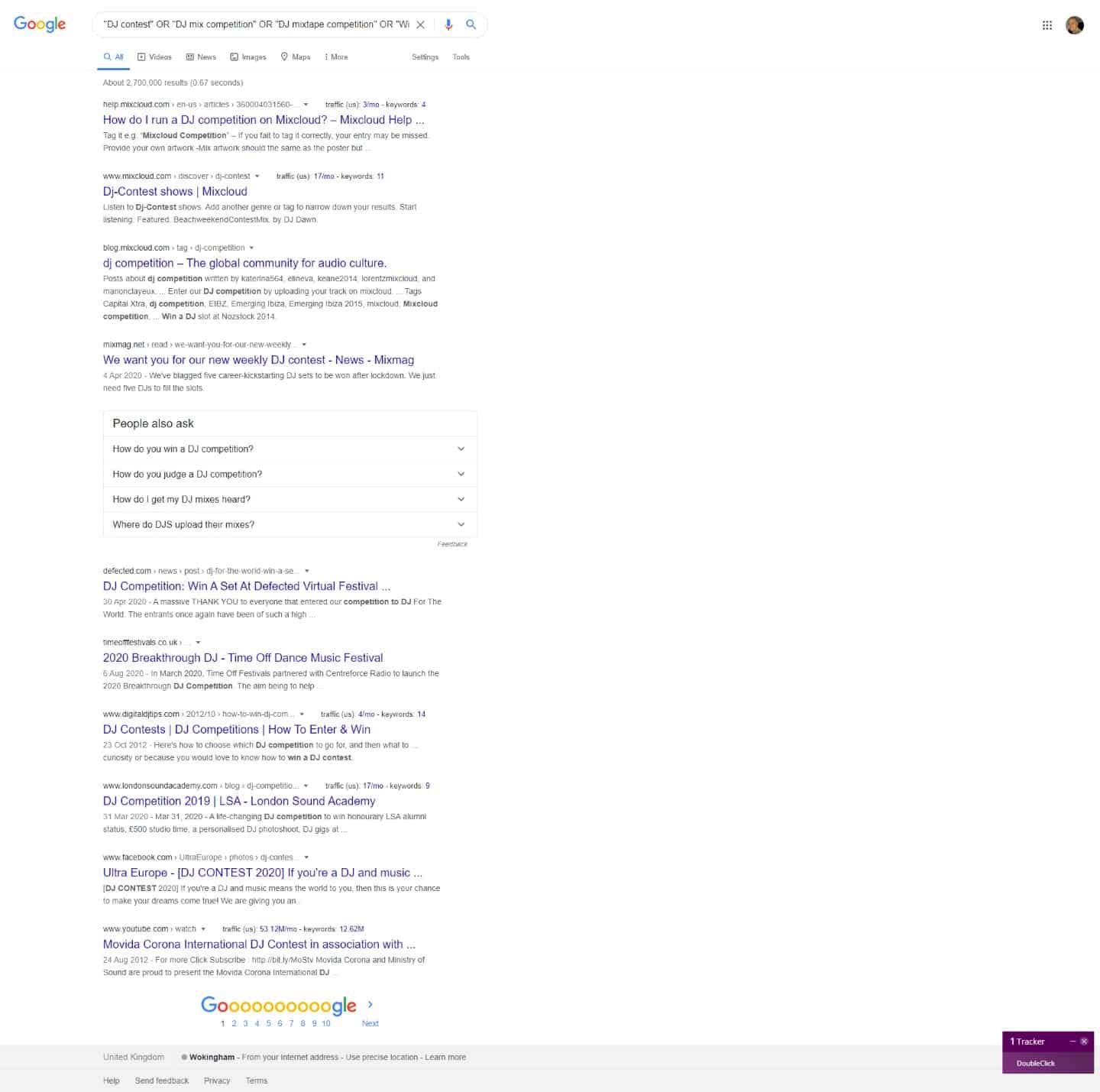
That’s not looking bad. By combining our keywords we narrowed our results from 543,000,000 to 2,700,000. 2,700,000 might sound like a lot, but 95% of our results will be junk or old/expired opportunities.
Anyway, let’s see what our keyword list looks like in Google Alerts.
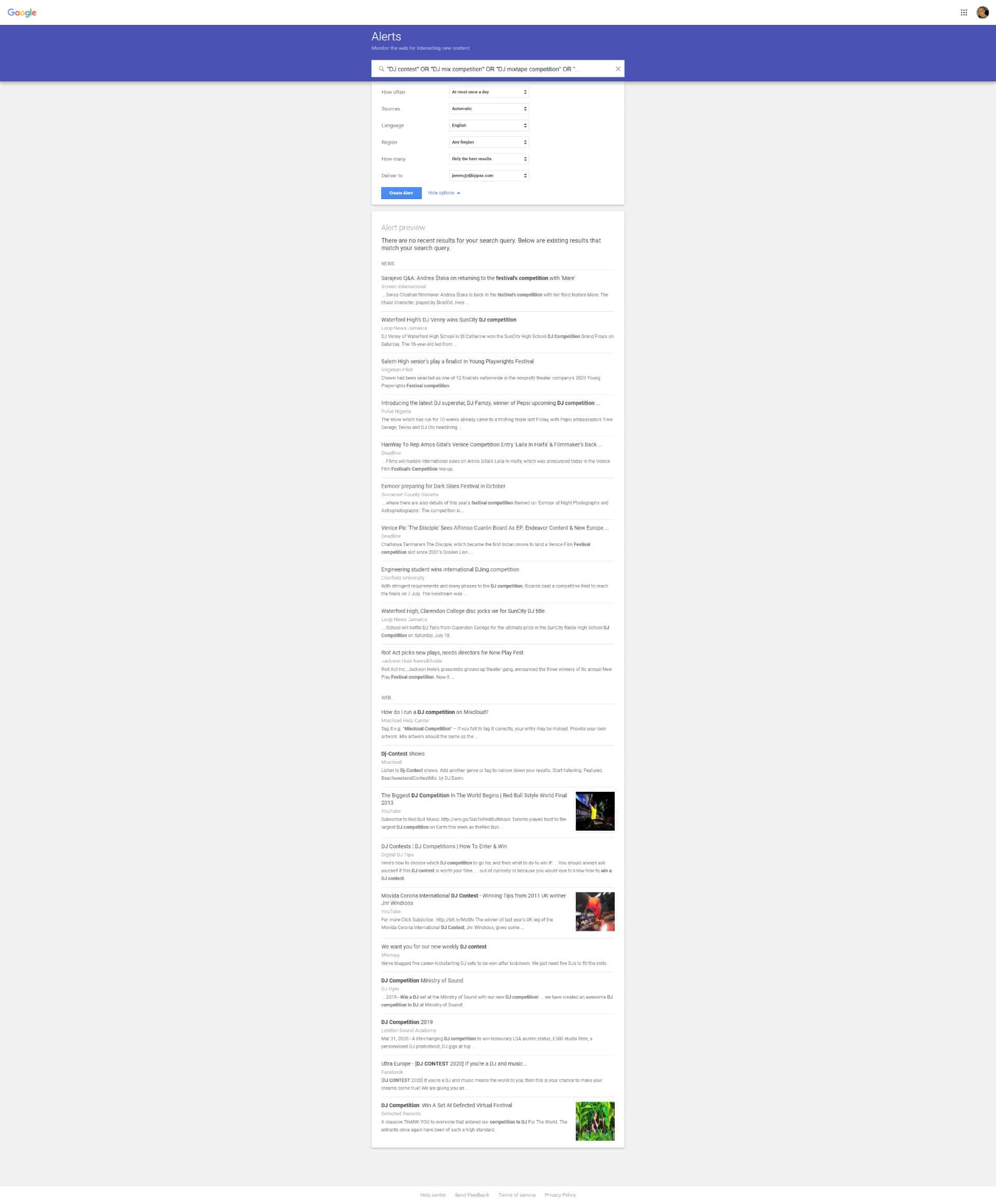
The first thing to notice is the alert from Google saying: “There are no recent results for your search query. Below are existing results that match your search query”. This is a good sign, because if we were to create a Google Alert using our collection of terms, it’s unlikely that our alerts will overload our email inbox. By contrast, if you are monitoring a bunch of popular queries, you may receive multiple alert emails per day – it’s easy to be overwhelmed with all the results.
Also, Google shows a preview of our alert using a sample of their old search results. Looking at those results, one keyword which isn’t looking good is “Festival competition” – it’s not producing relevant news stories and can be removed.
Improving Our Results
We can improve things further still. At present, Google is changing our results and they’re only displaying what they think are the best answers. Because we’re not finding many recent results, we may want to remove Googles’ filters and set our own.
To remove Googles’ filters, do the following:
- Below where we typed in our long search query, you will see a menu called ‘Show options’, open that.
- You will see a menu called ‘How many’, set this to ‘all results’.
- Done! You’ll now be emailed unfiltered results, which means you should see more opportunities.
Now, the bad thing about using unfiltered results is you’ll be sent more junk, spam and crap.
In this same menu, we could also filter our results to a certain region too. This is handy if you’re trying to find contests specific to a country.
Once finished, click the ‘create alert’ button.
Monitor and Tweak
Now we need to monitor and tweak our alert – don’t expect quality results straight away. Alerts like this don’t produce lots of news, and I’ve found these alerts to be very seasonal – you’ll often get more during the summer than winter.
Note: I’m writing this at the height of the Corona Virus epidemic. Most clubs, bars, and festivals have been closed, cancelled or shutdown. So, my alerts have really dropped off because of the chaos the virus has caused.
When you monitor your alert emails you will receive lots of junk (due to removing Googles’ filters). Over the next few days, weeks, or months you may notice the same crappy sites reappearing in your alerts. Let’s improve our results by applying some advanced Google search operators to remove certain troublesome sites.
Filtering our Alerts
For example, if we wanted to remove all YouTube results from our alerts, we’d append the following to our big alert query:
-site:youtube.com
Let me explain what this advance search query does. The ‘-‘ at the beginning of the query tells Google we want to remove something. The ‘site:’ part tells Google to apply this removal to a specific site/domain – in our case YouTube. I’m not advising you to remove YouTube results, I’m just using the site as an example.
Here are some more examples:
If we wanted to remove all BBC sites from my alert results, I’d put the following at the end of my alert:
-site:bbc.co.uk
Likewise, if there’s a site called “music-spammers-r-us.com” filling our alerts with junk I’d add another filter like this:
-site:music-spammers-r-us.com
And so on…
You can have multiple removal filters in your queries. Eventually our full Google Alert could look something like this:
“DJ contest” OR “DJ mix competition” OR “Win a DJ set” OR “Competition to DJ” OR “DJ competition” OR “Mixcloud competition” OR “Festival competition” OR “Breakthrough DJ” OR “DJ finalists” -site:youtube.com -site:bbc.co.uk -site:best-music-DJ-PR-spammers.com
You can also remove keywords using this method too. For example, I don’t mix dubstep (I’ve nothing against this music BTW), so if we wanted to remove any mention of dubstep from our alerts, we can simply append the following to the end of our alerts:
-dubstep
Likewise, I could do the same with the soulless music we know as EDM. We’d append the following to the end of our alert.
-EDM
The Results
Below is a screenshot of the type of results you’ll get when you set these types of alerts up:
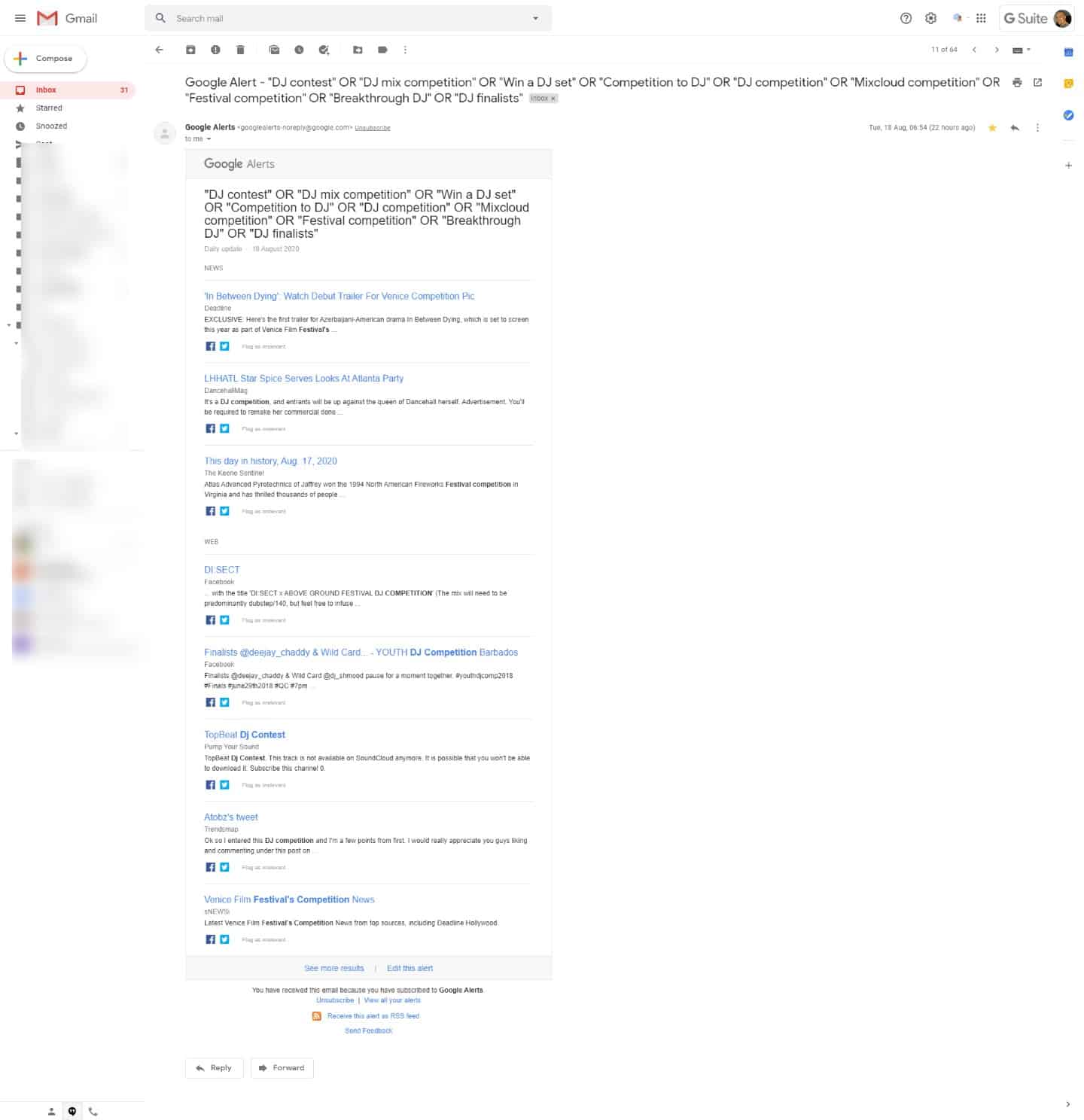
Now, the results are okay but not fantastic. But I’m not expecting fantastic results every day. It’d be absurd to think that there’s a relevant DJ competition happening every day where I could enter my DJ mixes.
As mentioned before, this is a long term strategy. Over the coming weeks, months, or years, I expect this alert to reveal new and unexpected competitions and marketing opportunities.
One thing to note about the results in the above screenshot is that they need tweaking. The keyword ‘Festival Competition’ looks like it will produce too many junk results. So, I’ll remove that from my query.
And, over the next few weeks or months, I’m likely to see the same useless sites reappearing in many of my alerts. So I’d remove those offending sites using a -site: operator.
The key to making this work is to refine, tweak and improve your results over the long term. Do this and you’ll get better and more concise alerts.
Example No 2: Finding Opportunities for a Band
If all the above has left you confused, let’s look at another example.
In this next example, I’ll show you how to use Google Alerts to find opportunities for a band. When I think of music competitions for bands, the keyword that springs to mind is: ‘battle of the bands’ – so let’s start with that.
The first thing I’d do would be to type my query into Google:
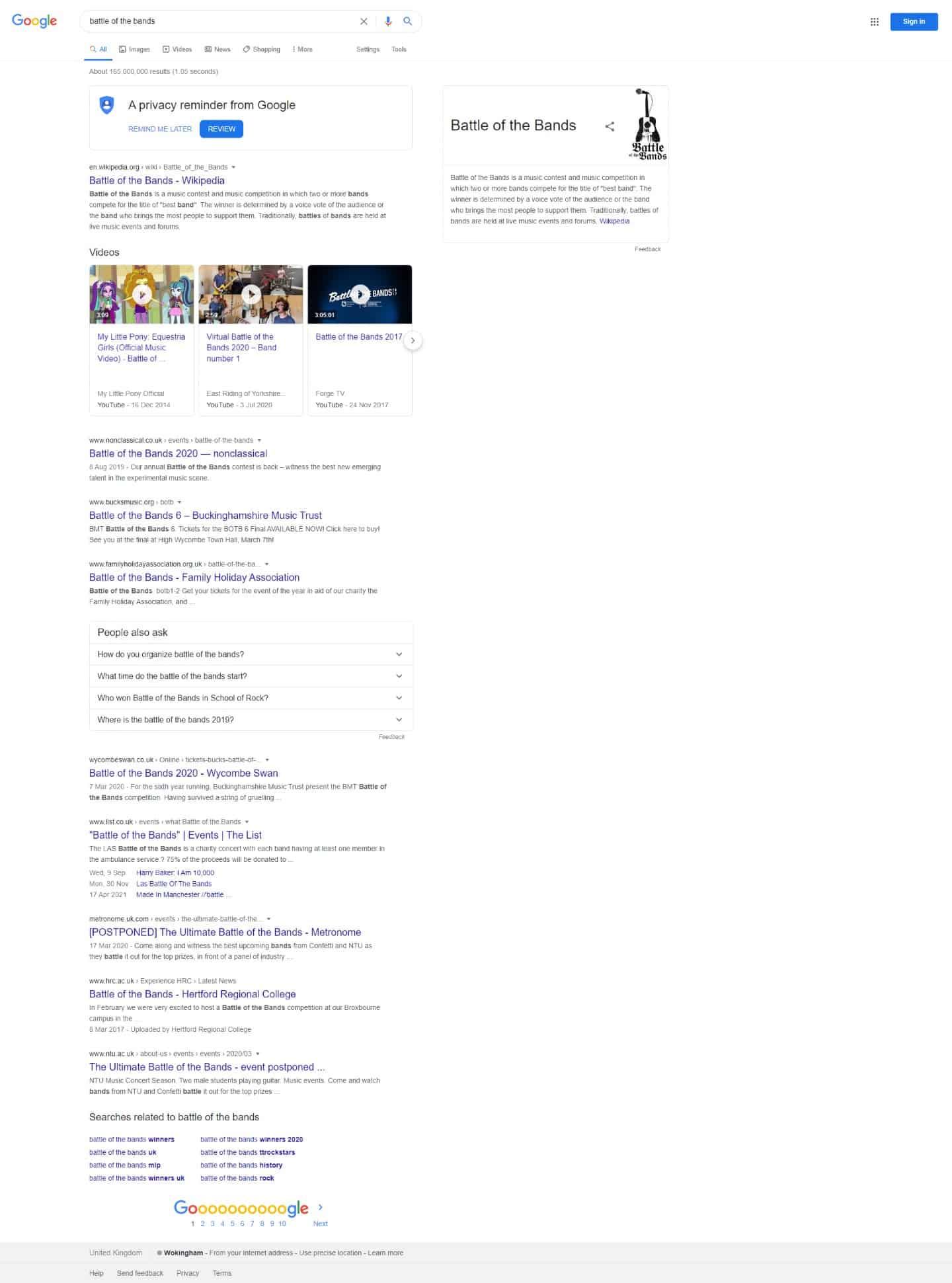
I’d then open the first 10 Google results and build my vocab/keyword list. Here’s what I found:
- Battle of the bands
- Music contest
- Music competition
- Prizes for bands
- Enter your music
- Musical finalists
- Submit your music
- Band contest
- Band competition
- Runner-up band
- Unsigned competition
- Unsigned contest
Using this keyword list, I’d produce the following Google alert:
“Battle of the bands” OR “music contest” OR “music competition” OR “prizes for bands” OR “enter your music” OR “musical finalists” OR “submit your music” OR “Band contest” OR “Band competition” OR “Prizes for bands” OR “Runner-up band”
Let’s look at what this query creates in Google:
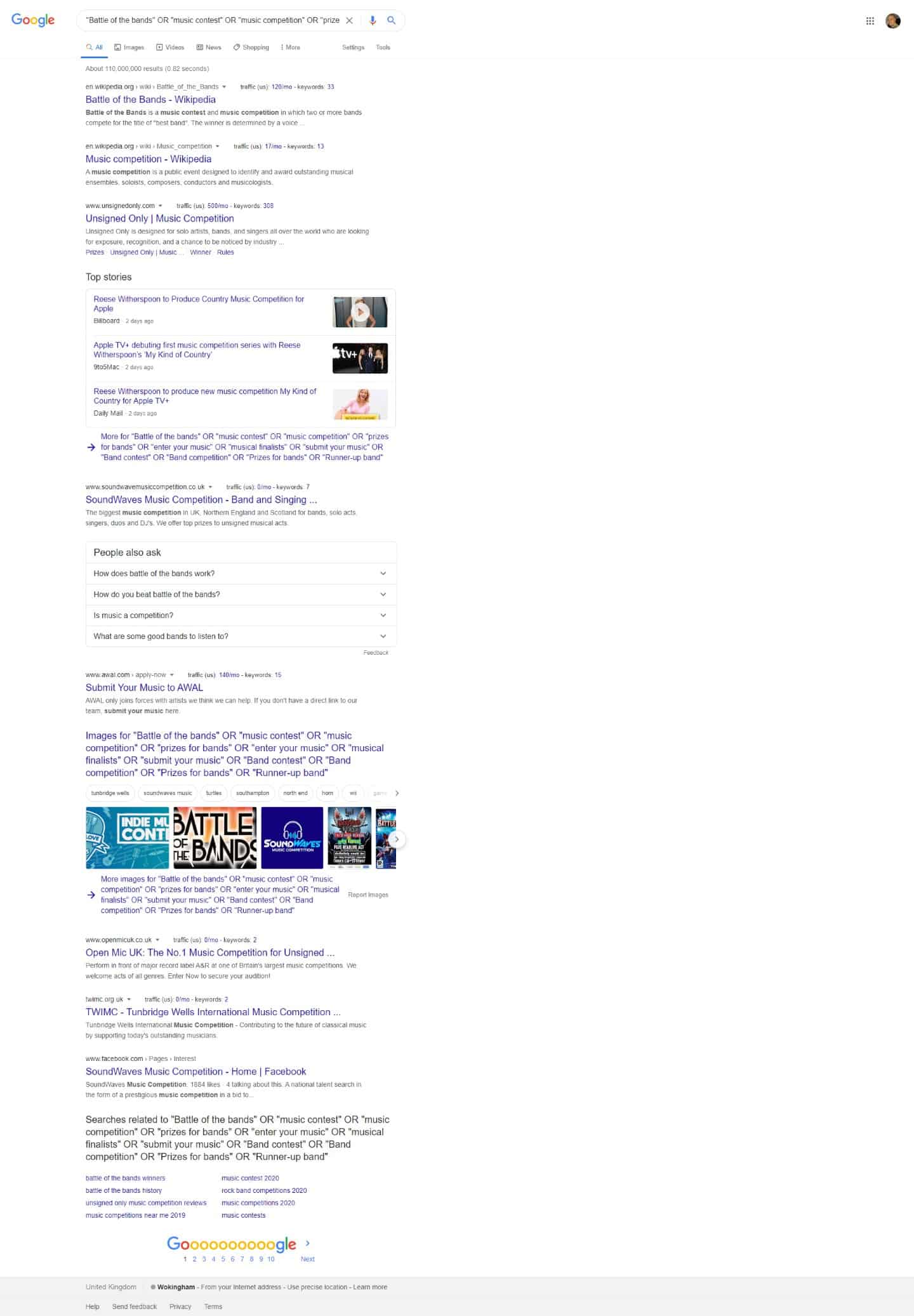
These results don’t look too bad. However, I’ve noticed that at the time of putting this guide together, Reese Witherspoon is producing a country music competition with Apple TV. This creates a problem. That’s going to be a very popular story – it’s likely to be regurgitated by many third-party sites – therefore, to improve our alerts we best filter those results.
Also, we don’t need Wikipedia in our alerts too, so let’s remove it.
Our finished query might look like this:
“Battle of the bands” OR “music contest” OR “music competition” OR “prizes for bands” OR “enter your music” OR “musical finalists” OR “submit your music” OR “Band contest” OR “Band competition” OR “Prizes for bands” OR “Runner-up band” -Witherspoon -“country music” -site:wikipedia.org
Here’s what my new results look like:
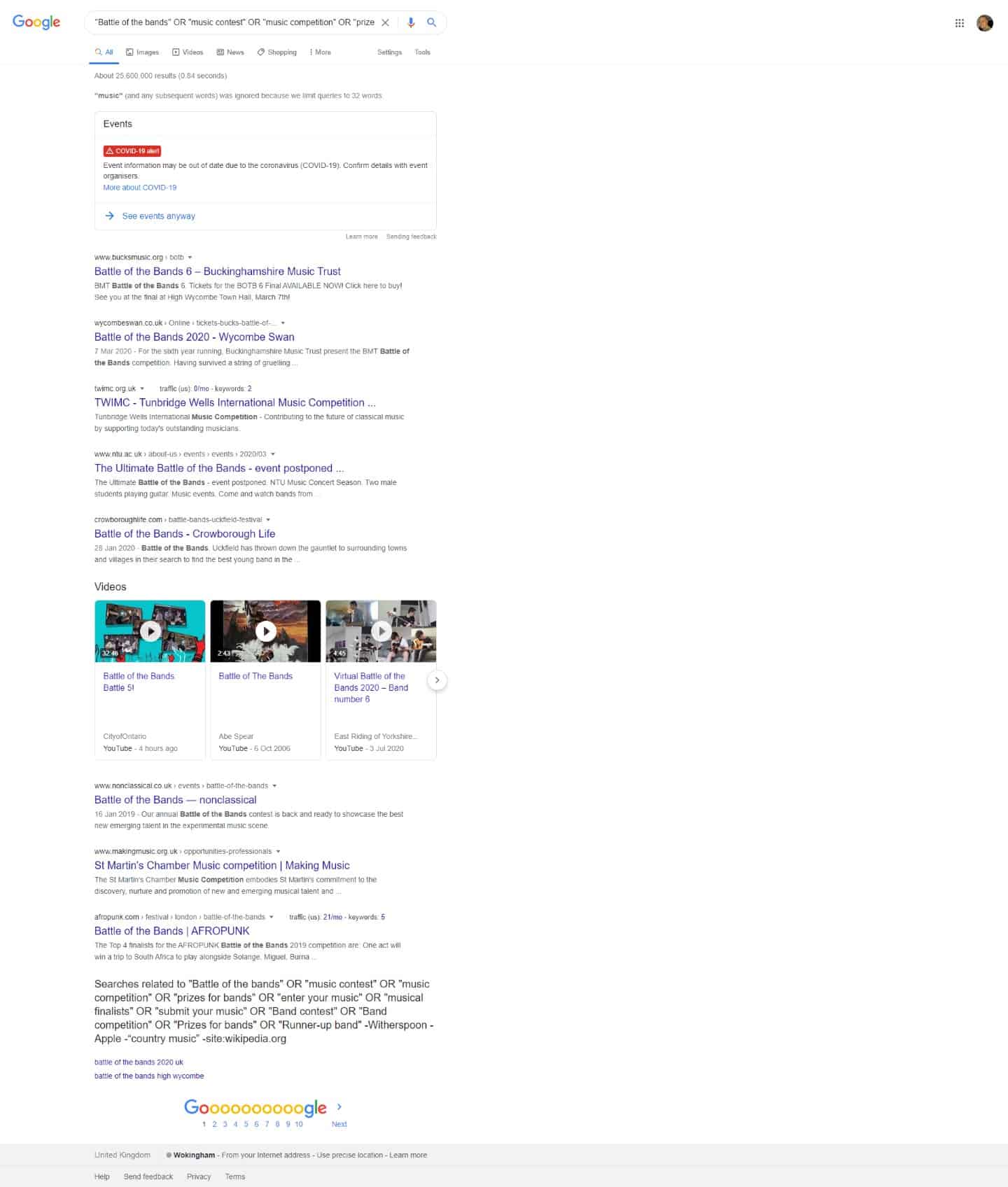
Those results are much better. I’ve noticed that I’m being shown results for classical music competitions, so I might add -“classical music” to the end of my alerts.
But I’d be happy to stick this big query into Google Alerts. To get better results, I expect I’d need to filter it more over the next few weeks or months.
Example No 3: Music Producer Competition
One last example. Here’s how to find competitions if you are a music producer.
We’ll use “music producer competition” as our seed keyword. And let’s pretend I’m a hip hop producer as well.
After typing our seed phrase into Google, and sifting through the top 20 results I came up with the following keyword list:
- music producer competition
- hip hop remix competition
- BeatPort competition
- producer battle
- SoundCloud competition
- battle of the beat
- beat battle
- remix contest
Hmmm, not bad. But after a little think I’ve realised I can quickly expand my keyword list by replacing competition with contest (and vice versa). Hip hop can also be known as rap – so I’ll stick that in my query. And hip hop has loads of sub-genres too, so I’d probably want to add my style into my new list.
So my improved results will look like:
- music producer competition
- hip hop remix competition
- BeatPort competition
- producer battle
- SoundCloud competition
- battle of the beat
- beat battle
- remix contest
- music producer contest
- hip hop remix contest
- BeatPort contest
- SoundCloud contest
- remix competition
- rap remix contest
- rap remix competition
- trap remix contest
- trap remix competition
And this keyword list would create a big query like this:
“music producer competition” OR “hip hop remix competition” OR “BeatPort competition” OR “producer battle” OR “SoundCloud competition” OR “battle of the beat” OR “beat battle” OR “remix contest” OR “music producer contest” OR “hip hop remix contest” OR “BeatPort contest” OR “SoundCloud contest” OR “remix competition” OR “rap remix contest” OR “rap remix competition” OR “trap remix contest” OR “trap remix competition”
Let’s fire this into the search results and see what happens:
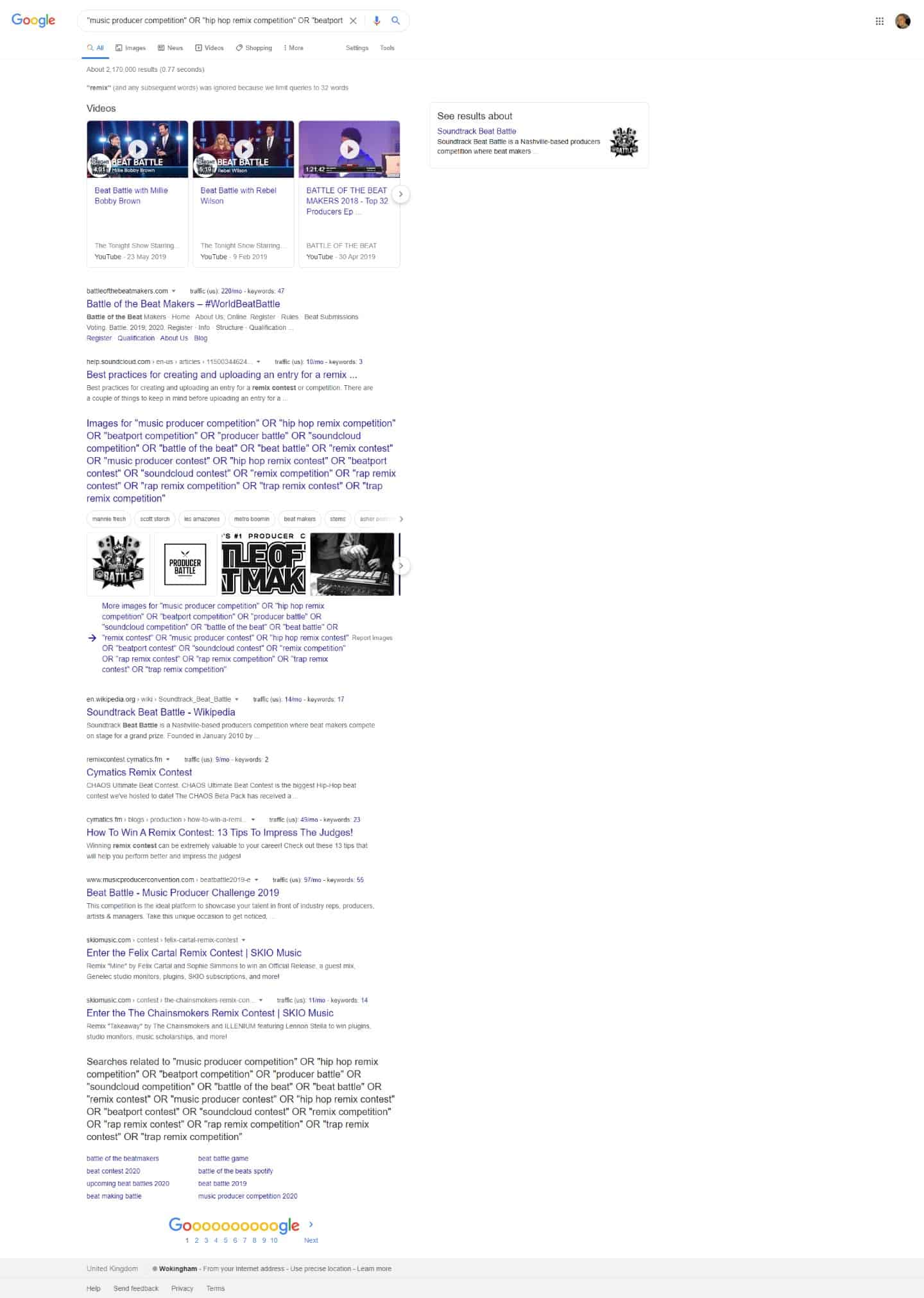
The results look good. However, I’ve noticed some Google news results from the Tonight Show. It appears they have a show feature called Beat Battle. It’d be wise to remove it from our alerts because it’s a popular program – it might easily take over our daily emails.
Our improved query will, therefore, look like:
“music producer competition” OR “hip hop remix competition” OR “BeatPort competition” OR “producer battle” OR “SoundCloud competition” OR “battle of the beat” OR “beat battle” OR “remix contest” OR “music producer contest” OR “hip hop remix contest” OR “BeatPort contest” OR “SoundCloud contest” OR “remix competition” OR “rap remix contest” OR “rap remix competition” OR “trap remix contest” OR “trap remix competition” –“tonight show”
As I mentioned earlier, Google search doesn’t like big search queries like this, but Google Alerts is fine with them. If you see Goole search warning you about ‘ignored words’ don’t worry about it and don’t trim your query to suit the search results.
And just like all the other examples, the next step would be to add this to Google Alerts, and then apply more filters over the coming weeks if needed.
Conclusion
As you can see Google Alerts is a powerful free music marketing tool when you know how to use it. Even if you find no relevant competitions for your music, close monitoring of your alerts can help you build up important knowledge of your specific music industry.
The methods outlined above can also monitor other areas of your interests. You could easily tailor the above approach to monitor music equipment news, music influencers, or music genres. It’s up to you to figure out what you want to learn more about and then just set up the necessary alerts.
Hope you found this guide useful. If you did, please share it on your social media. And if you want more of this type of stuff delivering to your inbox, join my mailing list using the form below.
Keep on scratching
James (DJ) Kippax
Takeaways
- It can take time to find opportunities. Don’t expect instant results from this music marketing method.
- Don’t try to be too perfect at the start. Begin with a wide net, and over time cull the search phrases which continuously product useless results.
- Test your keywords. Let them run for a while and see what results they produce. Not all your keywords, vocab phrases will be useful. Some will yield better results than others.
- Want to build even bigger keyword/vocab lists/Google Alerts? Then repeat the whole process with any new keywords you find.
- If you know of any big and official music competitions in your industry/genre, visit their sites and comb their pages for keyword suggestions.
- Don’t use phrases with too many words in. Otherwise, you’ll either restrict your results too much (when they’re wrapped in quotation marks), and you’re likely to receive no daily alerts.
- If you start to get weird results or results which don’t seem associated with a keyword check your queries. Ensure multiple word phrases are closed with quotation marks like””. A missing quotation mark can cause your alerts to produce strange results.
- If you start to get a deluge of alert emails, and you’re struggling to keep track of them all, consider using an RSS feed to monitor your alerts.
- If you’d like to learn more about this process read this blog post on ResearchBuzz.
- This approach can also monitor your favourite artists, DJ’s, or producers. You simply need to adapt your vocab for it to work.
- It can sometimes take months to get an alert set up and get it filtering correctly.
- Don’t want to do this work yourself? Just copy my queries and tweak them to fit your needs.
- You can create multiple alerts. You don’t have to create big alerts for this to work. You could split a massive query into several smaller ones.
