
“Think differently,” – Apple Ad
Recently, I was contacted by a mailing list subscriber curious about building their own DJ’ing website. They wanted to build a website that allowed them to share their mixes and mixtapes. A site that would also allow their friends and family to download (and stream) their music.
In this article I want to offer some advice for DJ considering the same.
Table of Contents
My experience with WordPress
If you’re wondering why you should listen to me, here are some facts about my web design experience.
I’ve been building websites since 2008. I have about 12 years of web design and SEO experience.
This site (DJKippax.com) has been online since around 2008 – in fact, it was the first site I built.
Since then I’ve had a side business building websites for small and local businesses. Over the years I’ve built small mom and pop sites to large eCommerce stores (with 1000’s of SKU and full EPOS integration).
At present, I host all my websites on an optimised CentOS VPS (Virtual Private Server). This is a Linux based hosting system that makes my websites run fast.
Back in the day, I used to code my own sites. Later I switched to Joomla, and finally stuck with WordPress. I now use WordPress for all my websites including eCommerce.
So as you can see I have experience with WordPress and website design.
Anyway, enough about me, let’s get on with this guide.
Why I use WordPress to promote my DJ’ing
“One good example is worth a ton of bullshit” – Drayton Bird
Here’s why I go to the trouble of building and running my own site.
The total number of play my mixes have on Mixcloud = 3000 in 5 years.
The total number of downloads my mixes have on this site (DJKippax.com) = 203128 in 3 years.
And I’m not even a well-known DJ.
Nuff said!
What is WordPress?

Originally, WordPress was just an open-source CMS (Content Management System) for blogging. It wasn’t originally designed to produce websites and things like eCommerce stores.
However, over time WordPress evolved and became popular. And as its popularity grew, more developers worked with WordPress, and the things you could do with it increased as well. Soon, it dwarfed rival systems and website creation software. The reason why it became so popular so fast is that it strikes the right balance between power and ease of use.
What kinds of music websites can I make with WordPress?
Is WordPress a good choice for people working in the music industry? Yes, it is. Here are some example sites which might be of use if you’re an artist, DJ, or a music producer:
- A DJ website (a site that allows users to download and stream large music files like DJ mixes. It might also display gig dates, a booking form and an Instagram feed)
- An eCommerce store (you can sell physical and digital goods with the excellent free WooCommerce plugin for WordPress. It’s perfect for something like an online record shop or something similar)
- An album launch website
- A music portfolio website (There are many portfolio WordPress themes available, so it’s easy to create a website that lists all your musical achievements and the places you’ve played)
- An internet forum (WordPress has many forum plugins to help you create your own community)
- A private social network
- A membership site (handy if you want to create a paid course. I.e. Teaching someone an instrument or some musical skill)
- A music streaming site (there are many media players and video players available for WordPress so it’s easy to build a streaming or live streaming website)
- An Internet radio station (there are plugins which are compatible with IceCast and ShoutCast web apps)
- A music blog (WordPress started as a blogging platform, so it has all the tools you need to run a powerful blog)
- A combination of some or all the above.
Honestly, the above suggestions are just a small example of what you can build with WordPress. The only real limit is your imagination.
Why choose WordPress for a DJ or music site?
When I built my first DJ’ing website back in 2008, I had to hand-code every page. But a year or two later I learned of content management systems (or CMSs for short). CMSs looked like a better solution than my hand-coded websites.
You see, CMSs made managing digital content much easier. With a static website, all the pages had to be created manually. A CMS allows you to create, publish, and delete pages with no coding. Creating a page on a CMS was like using a word processor.
So, around 2010 I tried two CMSs: DotNetNuke and Joomla. Out of the two I settled with Joomla (which is still being developed to this day).
My Joomla DJ site was a major improvement over my hand-coded website. It not only looked better, but it was far easier for me to post mixes, photo galleries, content, posts, and pages. And it was a simple process to extend my sites functionality using plugins (like media players and download managers for controlling the distribution of my DJ mixes)
A while later I switched my site to WordPress. WordPress was even better than Joomla because it had even more plugins and themes available, and many were cheaper than Joomla’s – some were even free!
For me, WordPress strikes the right balance between flexibility, diversity of features, and ease of use.
WordPress: It’s popular
WordPress now powers approximately 42% of all websites on the Internet
WordPress now powers approximately 32% of all websites on the Internet. I think it achieves this because it gets the balance right – it easy to use yet powerful and adaptable.
You can increase WordPress’s functionality through the installation of themes and plugins. There are thousands of free/paid plugins/themes available.
What are WordPress themes?
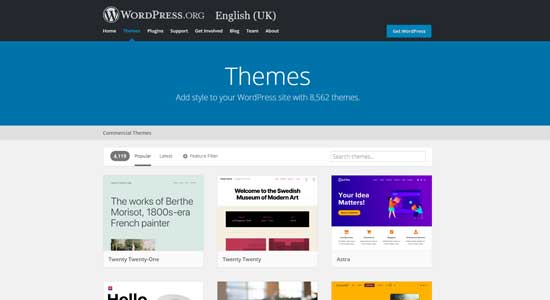
A WordPress theme alters the look, styling and feel of your website. Once you install a theme, the difficult web design work is done. Hard tasks – like making a website look good on both desktop and mobile devices – are taken care of. These days the only design elements I might change are the colour scheme and the fonts, so they suit my branding.
You can buy themes to suit any type of business you are in. There are specific themes designed for real-estate, pet shops, record shops, and much more. So it’s a trivial task finding something to suit your requirements.
There’re thousands of free and paid-for themes for WordPress. And there are also theme clubs and membership sites. You can also code your own theme if you know what you are doing. So as you can see, you should be able to find something to suit your own requirements no matter how particular they are.
I would like to add that the better-quality themes are usually premium themes. But I’ve never paid more than $70 for a theme.
What are WordPress plugins?
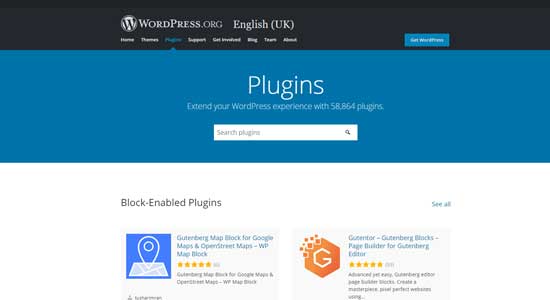
New features can be added to a WordPress website using plugins. A good way to understand this is to think of your WordPress website as a smartphone, and the phone apps you install as plugins. When you want a new feature added to your phone (like a media player, messenger app, a weather app, etc) you simply browse an app store, choose an app, and download and install it. WordPress works in a similar way. You simply acquire the plugin from the official plugin repository or 3rd party store, download the files, and then upload it to WordPress. Afterwards, your WordPress site can do something new.
Again, as with themes, there are thousands of free and paid-for plugins for WordPress. For example, if I wanted a new media player plugin, I could find several free ones in the WordPress plugin repository, or I could visit a site like Code Canyon and purchase a paid-for plugin (paid plugins are usually better supported). As you can see with this example, I have several plugins to choose from – each with its own designs and features. I could probably find more with some googling.
This is WordPress’s major advantage. You have lots of options and it’s easy to implement this choice. You don’t get this diversity with other platforms. If you sign up to a website builder like Squarespace, Wix or GoDaddy Web Builder, you’ll be lucky they have more than one media player included with their software.
The two types of WordPress
WordPress comes in two flavors:
- The free blogging platform hosted by Automatic.
- The self-hosted content management system (CMS) version.
WordPress.com
I’ve written about the free WordPress.com websites in this article. WordPress.com sites are a free blogging platform provided by Automatic (the people who make WordPress). Free WordPress.com sites use the same content management system as its self-hosted cousin. However, this version of WordPress limits what you can install, change and do. There’re far fewer plugins and themes available for it. And you cannot install any 3rd party themes/plugins with this free version of WordPress.
WordPress.com offers a premium service. Their premium service will give you all the features of the full self-hosted version of WordPress. Meaning you get total control of your website and you can install all plugins and themes – including those from third parties.
WordPress.org
The next version of WordPress is the self-hosted version. Anyone can download and install the WordPress websites core installation files. They are freely available for any person to use and modify. You do not have to pay to access these files. You do however need the necessary system requirements and hosting before you can install and use it.
For the rest of the tutorial, we will be concerning ourselves with the self-hosted version of WordPress and not WordPress.com. When I refer to WordPress I’m talking about the self-hosted version of WordPress, and not the free blogging platform.
What things do I need for installing and running a WordPress site?
To install and run WordPress you need the following:
- A PC or a server
- Web server software (either Apache or NGINX)
- Database software (MySQL or MariaDB)
Installing WordPress locally (a great way to play)
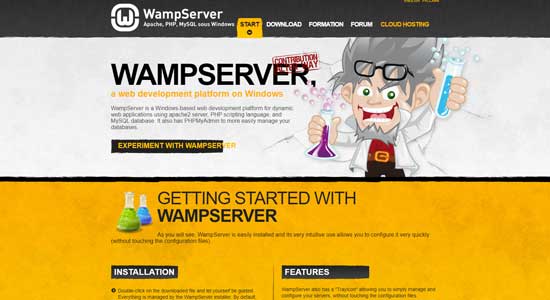
Did you know you can install WordPress on any PC or laptop? This localised install can then be accessed and configured using a web browser. A website like this cannot be accessed from outside of your local network and the Internet (unless you configure your router to allow incoming connection – I strongly recommend you don’t do this).
Want to install WordPress locally, then check this app out
Local installations like this are often used by web developers when building prototype websites. Once the WordPress site is finished, it can be exported and installed on a web server.
Local installations are great because it allows you to play around with WordPress without spending anything. You can still install themes and plugins in a local installation. And you can have a mess with all the configuration files, helping you to learn how WordPress works. The best thing is if you break the site no one will see it.
Online WordPress
To run WordPress online, you need a few more things like:
- A Domain name
- Web hosting
- A database on your hosting account
What are domain names?
A domain name is a name you type into your web browser to access a website. Apple.com, Amazon.com and DJ Kippax.com are domain names. All these domain names use the .com extension. There are many more domain extensions available including: co.uk. and .org and unique ones like .music. There are hundreds more domain extensions available than what I’ve mentioned. You can buy a domain name from a domain registrar. And most domain names are no more than $7-$45 per year depending on the extension.
You can buy and register your domain name at any time. You don’t need a website ready to register one. If you’re looking for somewhere to register a domain name, I can recommend the following domain registrars:
- NameCheap – nice selection of domain names and has many of the newer domain extensions available. Prices are reasonable but sometimes they hike up their prices after the first year. Their site is nice and easy to use. They also include email hosting too.
- Google domains – nice transparent pricing. They don’t hook you with introductory price offers on domains.
- Cloudflare – Cloudflare is one of the biggest worldwide networks of servers. They offer a vast array of tools useful for Webmasters, including DDOS protection, a free CDN and other things. They also offer domain registration.
- Route53 – Amazon’s domain registrar service. If you’re planning to host a website or use AWS services, Route53 can be a better choice because of its integration with AWS and its wider services.
- Gandhi – one of the biggest domain registrars out there. I think Route53 relies on Gandhi for registering their domains. Good prices, transparent pricing, and a good alternative to NameCheap.
The only domain register I recommend that you avoid like the plague is GoDaddy. Most people have heard of this company because they’ve been around for a long time; they’re big and they throw lots of money at marketing. But that’s about the only thing they’re good at. If you’d like to know why you should avoid this company just Google: GoDaddy domain problems. And you’ll find lots of posts from disgruntled customers who’re pissed off with this companies’ shady antics. I also would touch nothing else this company does either – that includes their hosting and web building software.
What hosting do I need for a WordPress DJ site?
If you’re running a DJing website, disc space and bandwidth will be your two biggest areas of consumption
Web hosting costs vary greatly. You can pick up good performing hosting for around five dollars a month, which has unlimited bandwidth and unlimited disc space.
If you’re running a DJing website, disc space and bandwidth will be your two biggest areas of consumption. Especially if your website grows and gets busy. I’ve written about my problems with the band with my mixes were consuming in this post. My website gets a moderate amount of hits a month, but it still consumes over 1 TB of bandwidth monthly.
Be careful of going with the cheapest hosting possible, because you usually get what you pay for. It’s easy to find free web hosting or hosting for one or two dollars per month. In this instance your website is likely to end up on a server with thousands of other websites. Cheaper hosting companies often don’t allocate each website enough resources – resulting in a slow site. This might not be too bad if you’re running a small site which doesn’t get many visits a month. But if your website gets busy these limited resources can be a problem. If you’re lucky enough for your website and traffic to become popular and grow, then you must spend more on your hosting. However, you can gradually upgrade your hosting as your website grows
Finally, when choosing a web host examine their terms and conditions. You see, many unlimited web hosts usually have hidden clauses. For example, I run mixes.djkippax.com on a Vulture VPS (VPS = Virtual Private Server). Although they claim to offer unlimited bandwidth, there are conditions. In my case, once my site exceeds 1 TB in bandwidth in a month, they throttle my connection speed from 100MBs to 10 MBs. This is something I live with, it’s a compromise. That’s part of the reason I’ve chosen to isolate my DJ mixes to another subdomain because my DJ mixes have much bigger bandwidth requirements when compared with the blog part of my site.
Database
Your hosting company will provide you with access to a database facility with your server or hosting account. You need not worry too much about what type of database comes with your hosting, it just needs to be present on your server.
Often it’ll be MySQL or MariaDB. Either of them will work with WordPress.
WordPress relies on a database for storing and retrieving all the information on your website. This is everything from the sites’ configuration details, the text in your post and page text, tags, licence keys and much more – basically, it houses the lot.
Email hosting (optional)
Most shared hosting or domain registrars will come with email hosting. This allows you to send and receive your email using your domain name. You don’t need this in place to run your WordPress website.
During the WordPress installation process, the CMS will ask you for an admin email address. Any important emails will be sent to the email address you provide. It’s a good idea to use your daily email address so you miss no important emails. The email address you provide need not be associated with your domain name.
For example, I have my email hosting with GApps from Google. I have set up the necessary files and nameserver records, meaning I can send and receive emails using my domain name. If you’re on my mailing list, you may have noticed that I send emails using a branded address like [email protected]. Branded emails do look more professional than free webmail emails like Gmail, Hotmail, Yahoo mail, etc, but you don’t need one when setting up your WordPress site.
How to build a WordPress DJ’ing website
The fastest and easiest way for you to build a WordPress website for DJing and music promotion is to hire someone. If you lack the expertise, don’t have the spare time, or you find everything I’ve mentioned boring, then get someone to build you a site. Because if you’ve never built a website before there’s a lot to learn.
There’s nothing wrong with hiring someone if you have the budget. That way, you can concentrate on important things like producing content for your website. And you don’t have to worry about tricky things like hosting, configuring your site, finding the right plugins, and setting it all up.
I have been building WordPress websites for years. And the sites I build are fast because they’re hosted on a dedicated VPSs on a custom stack. If you’d like a site like mine, then get in touch
How to install WordPress in one click
Many hosting companies now include one-click installs for popular web apps. So WordPress can now be installed in this manner.
However, these installers will only install a base WordPress site. It’ll still be up to you to choose your theme, plugins, and add content to suit your requirements. But the one-click install will take care of tricky stuff like the database connection, hosting configuration, and maybe even the SSL certificates (which creates a secure website connection resulting in the padlock you see in your browser)
How can I learn how to build a DJ’ing website?
So you want to learn how to build a successful DJing or music site?
I’m self-taught with WordPress. But over the years I’ve used YouTube, WordPress’s own documentation, tutorials on forums, and blog posts to learn my way around the CMS. And I’ve also buggered sites up and then had to fix them. And I’ve bought my fair share of paid courses. I’ve had to put all this time and effort in before I became competent with WordPress.
My point is you must be prepared to put the time and effort into building your own WordPress website. The CMS isn’t a push-button solution. In my own experience, the easier something is to learn the less control or features that thing has. WordPress is no different; for newbies, it appears complex, but this complexity makes it more powerful and flexible than other website building software.
As you can see, I’ve used a variety of sources that have helped me with my WordPress websites. If I were learning everything again, I’d go and buy a premium WordPress course (I’d also tell anyone considering the same to do this as well). Don’t rely on YouTube to teach you how to use WordPress. The reason I recommend this approach is for the same reasons I prefer to use paid plugins and themes – better support! WordPress is constantly evolving. New features are added and removed, and things get changed. A quality paid course should update their videos reflecting these changes. Free YouTube videos won’t as there’s no financial incentive for the authors to keep it updated.
And you might waste hours trying to cobble together videos from different sources. If time is no issue this might not be a problem. But if you’re busy, or trying to do this in your spare time, consider paying for a course because you’ll build your website faster.
Website security?
Don’t install pirated or cracked plugins on a WordPress website. Because you’re asking for trouble
If you build your own website take security seriously. Because even small and unknown websites are probed by automated hacking robots.
Don’t use Warez and cracked plugins
Your first step to securing your WordPress website is to keep the core files, themes, and any plugins updated.
Next, only install plugins and themes from reputable sources. Whatever you do, don’t install pirated or cracked plugins on a WordPress website. Because it’s easy for hackers to add backdoors in compromised plugins and themes. And that means they could take control of your website and have it distribute malware to all your fans and visitors. They might also add spammy links to your pages, causing you to incur a penalty from Google or Bing – resulting in you losing all your web rankings, visitors, and traffic. Moreover, many websites don’t recover from search engine penalties – meaning you must build your site again under a new domain. Plus, it might take you months or years to regain your web traffic.
Is it worth all this hassle just to save money? I don’t think so.
Use secure passwords
One of the easiest ways to secure your website (in fact, any website you use) is to use strong passwords. An unsecured WordPress login form can be probed hundreds of times per hour. So, if you’re using a password like MYCATSNAME12345 it’s not a matter of if your site gets hacked, but when.
Secure your site using long random passwords, at least 31 characters or more. Also, ensure your passwords make use of lowercase/uppercase letters, numbers, and random symbols.
A password manager like KeePass makes managing long passwords much easier.
Last, add a plugin like limit login attempts to your website. This will ban people/bots if they try too many failed login attempts in a set period. This helps to minimise the effectiveness of brute force hacking attempts.
Move your login form
Most WordPress websites use the default login URL, which is: mywebsite.com/wp-admin.
Hackers know this. So, when they come across a WordPress website, this is the first address they will probe. They’ll try to brute force their way into the site using weak or compromised passwords. One way to fix this problem is to move your login URL to a custom address. Your custom might be something like mywebsite.com/youarenevergoingtoguessthisaddress324325.
Not only does moving your login URL help to secure your website, but it also stops the brute force attempts slowing down your server. Probing’s for default login URLs and brute force attempts can quickly consume a lot of your server resources. The worst attempts can even crash your server or render it unusable
Moving the login URL elsewhere can reduce the effectiveness of these attacks. But make sure you bookmark your new address, otherwise you might not get into your website.
Review your plugins and themes
As I mentioned previously, one of WordPress’s strengths is the number of plugins and themes which you can install. But this creates a problem; that sometimes plugins and themes get abandoned.
When installing any plugin or theme check the reviews of the plugin and the changelog. Look at when it was last updated. Reviews and changelogs will show you if the plugin or theme is still being updated.
Outdated or inactive plugins/themes can present a security risk because they might not receive important security updates or patches.
Back everything up (and test)
I’ve had to rebuild an entire website from scratch because my backup files didn’t work
A good backup solution is critical when running any website. Backups are an insurance policy. You might never need them, but when you do, you’ll be glad they’re there.
Here are some tips on backing up WordPress.
Always make sure you have an adequate backup policy in place. Know how to take a backup and redeploy it. And test your backups!
I’ve learned the hard way that you should always test your ability to restore your backups. I’ve had to rebuild an entire website because my backup files didn’t work. If I’d have tested my backups, I’d have known that the backup plugin I was using was useless and I could have found a working alternative before I needed to restore.
Don’t just have one backup, keep incremental backups over a period of months. Because it’s not unheard of for websites to be hacked, and the attackers will wait a few weeks before compromising the website and taking it over. If you have a single backup your backup it could be compromised and contain malicious code. If you don’t have a clean backup stored somewhere, ideally before the time you think your website was compromised, then you’re screwed. You must rebuild your site again or attempt to find and remove the hacking code within your website. Finding how the malicious code got into your website isn’t an easy task, even for experienced WordPress users like myself.
A good backup solution and plugin also have other benefits; it makes moving your website to another web host or server easier. Because most backup plugins and backups can be restored to any server, it’s not tied or reliant on your existing hosting company.
What backup plugin do I recommend? There are many good ones for WordPress – some free, some paid. However, try to pick one which has a reputation for reliability and one which gets good reviews.
Keep updated on WordPress Security announcements
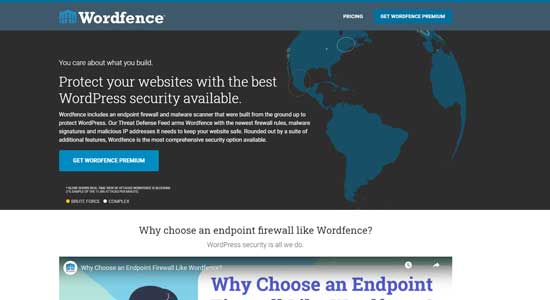
I also recommend joining a good WordPress security newsletter – the Wordfence newsletter is a good choice.
Although I don’t use their security plugin, their announcements are a great introduction to WordPress and web security. Wordfence frequently sends out news about bad or problematic WordPress plugins. And this can help you to stay informed on any new WordPress security problems.
Plus, it’s free to join their newsletter.
Conclusion
So is it worth using WordPress for a DJ, music producer or musician site? Yes, it is.
Today most DJs and musicians just rely on free services like SoundCloud or Mixcloud for hosting and promotion. Most Soundcloud/Mixcloud users won’t build a website because they think it’s too complicated – and it is! But this difficulty means less competition.
Is it worth the effort? Yes, just look at the figures from my website when compared to the attention my mixes receive on Mixcloud. My website download numbers dwarf my Mixcloud plays – and I’m not even a famous DJ.
As you can see, it’s now easier than ever to install and maintain a WordPress website. Things like one-click installers make some of the most difficult WordPress tasks easy. And there are lots of blogs posts, YouTube vids, and paid courses that will teach you how to build your site. So it’s never been easier to get started.
With all that being said, WordPress still has a learning curve. You will have to put time, energy, and money into it if you want good results. But hopefully, this guide has shown you where to start and what to avoid.
Last, if you can’t be bothered doing all this, why not get someone to build you one (like me?). Just contact me if you want a website.
Thanks for reading.
Like this article. Want to be notified when another helpful guide like this one is published? Then join my newsletter using the box below.
Oh, and if you have questions about anything I’ve mentioned, leave a comment below. I always respond to them.
