
In my last blog post, I mentioned the bandwidth problems I’d been having with this website.
As my site visitors have grown, I’ve been nearing my monthly bandwidth transfer limits. And I’d been getting repeated warnings of this from my hosting company.
In this post, I want to explain how this problem happened, how I solved it, and how it produced some unexpected bonuses.
Table of Contents
The problem with my bandwidth
Now, DJKippax.com performs well in the search results. Also, my website distributes large music files (my DJ mixes).
Most of my mixes are 75 mins long, and you can download them as 320 CBR MP3s and Flac files. These are large files to transfer. So, it’s easy for a modest site like mine to consume lots of bandwidth.
My mixes eat around 1 TB of traffic per month. I estimate that my DJ mixes are 97% of my web traffic, whilst the remaining 3% is blog posts and image downloads.
My hosting provider allows 1TB of data transfers per month. And over the last two months, I’d exceeded this amount. If I didn’t find a fix to this problem soon, my hosting costs would increase, or they would take my server offline.
So, since September I’ve been trying to find a solution.
One idea was to add Mixcloud players to the mix pages.
Streaming mixes from Mixcloud meant I would use their bandwidth and not mine. However, I tested the Mixcloud players and concluded that no one was using them.
So, I abandoned that idea.
Hosting my music files with another service
After researching my problem, I concluded that I could try:
- I could host my music files on a third-party storage device such as Amazon S3.
- I could host my music files in Google Drive.
- I could host my music files on another server. Preferably one with more lenient bandwidth restrictions.
Here are the problems I had with some of the above points.
Amazon S3
Amazon S3 seemed the obvious storage choice because of their speed, reliability and flexibility.
Also, the WordPress download plug-in I use has Amazon S3 integration. Meaning, I could host my files on an S3 bucket, and have my WordPress plug-in serve the download URLs to people who wanted to download my mixes.
However, after looking into the costs I realised that distributing my files from the S3 network wasn’t cheap. And the costs would increase as my site traffic increased.
At present, it would cost me £23 per month to distribute my existing number of monthly downloads.
I don’t make any money from this website – It’s just a hobby which I enjoy. And I already pay for one VPS to host this website too. So, an extra £23 a month was out of the question for something which is just a pastime.
Google Drive
My next idea was to distribute my music files using a cloud backup service. Fortunately, the WordPress plug-in I use to control my downloads has Google Drive integration. So, Google Drive was the obvious choice for hosting my files.
I also use Gsuite for business for my daytime job. The business version of Google Drive comes with a hefty 25GB of storage space. This was more than enough to store my present and any future DJ mixes.
So, I uploaded my DJ mix files to Google Drive and began testing.
I later found out that Google Drive isn’t great at distributing large files like mine (around 175mb and above).
I couldn’t get my WordPress download plug-in to start direct downloads due to the peculiar way Google Drive handles large files.
Heres’ what happened: When you clicked a DJ mix download link, it took you to a public-facing Google Drive page. Once at that page, you had to click to activate the download.
This meant people had to click three times to download a file. Plus, I was sending people away from my website.
I didn’t like this solution, so I had to find something else.
Finding a new host for my music files
Many web hosting companies now offer unlimited hosting. Meaning, in theory, that a website hosted on such a package has unlimited bandwidth at its disposal.
However, this isn’t as perfect as it first sounds. Because you can guarantee there’s a catch (often hidden in the web hosts TOS or fine print).
In my experience, it’s easy to find a shared hosting account with unlimited hosting. But finding an unlimited VPS (virtual private server) hosting account is harder.
A shared hosting account (for those who don’t know) means your website is on a shared server with hundreds of other websites. They pool the server between many paying customers. Shared hosting is often cheap to run, and easier to administer (due to the inclusion of user-friendly control panels for certain administration functions).
One major downside of shared hosting is that it can be slow. Sometimes hundreds (or even thousands) of websites are on a single server. And if one website has a traffic spike it can degrade the whole server performance. This is just one problem with shared hosting accounts, there are many more.
Also, not all shared hosting accounts and companies are equal.
A major problem of shared hosting is that some unscrupulous web hosting companies oversubscribed their web servers. These bad actors place far too many websites on a single server, thus reducing the performance for every site on that server.
The trouble is, there’s no way you can really detect if this affects you. If everything seems to run slow, especially during peak times, this can be a sign that your server is oversubscribed.
The only way to avoid oversubscribed servers is to look at the reputation and reviews of your web hosting company.
I run this site, and my other websites on VPSs. The main advantage of VPS servers is speed and configurability. Plus, you can set the server up exactly how you want.
The downside of using a VPS is that they are complicated to setup. When you pay for a VPS you must install, configure and secure everything using the command line. Most VPS services are Linux-based too. So, you must be comfortable with the Linux OS and be happy controlling it via terminal/command line.
In contrast, many shared hosting accounts are restricted. You are limited to what you can install on the server and how you can configure it.
Anyway, moving on…
So, I was hunting for an unlimited VPS provider. But it was difficult finding one.
Eventually, during my unlimited bandwidth VPS provider hunt, I came across a company called Vultr.com. They’re a big web hosting company and a major VPS provider. And their VPSs come with unlimited bandwidth.
But the best thing was, months ago, I’d just set up a VPS with them. It was fully configured and ready to use.
When I first signed up with Vultr, I wasn’t aware they offered unlimited bandwidth. Originally, I’d moved some of my websites to their servers just to try them out.
Anyway, back to the bandwidth problem…
When companies offer unlimited anything, there’s always a catch. You can guarantee it.
The catch with Vultr is, on their smallest tier, once you exceed 1 TB, they will slow down the connection till your account rolls over. To be honest, I think this is fair, and it’s something I can live with. But it caused another problem.
How to stop my site slowing down because of my downloads
The obvious solution to my problem was to move DJ Kippax.com onto the Vultr servers. However, this presented a dilemma. Namely, once I hit my monthly limit, the whole site would be slowed down.
I really didn’t want my blog post pages slowing down because I’d hit my limit with my new host. So, I tried to think of ways around this problem. Then it hit me…
Using a subdomain
One solution was to separate the site. If I moved the mixes onto their own server and subdomain this would stop the blog pages being slowed down.
If you don’t know, a subdomain is a split or an alias part of a domain name. The best way to illustrate this is with an example.
My current domain name for this website is: djkippax.com
A subdomain could look something like this: blog.djkippax.com
Or even this: mixes.djkippax.com
In the above examples, the first part of the domain name (before the first period) is the subdomain’s name. After the first period comes the main domain or website name.
The advantages of using a subdomain
Using a subdomain has advantages like:
- You maintain your branding and your domain name.
- Allows a greater distinction between parts of your website.
- Subdomains can point to other servers, IP addresses, or domain folders.
I had two main choices for implementing a subdomain on this website. They were:
- Move all the blog posts to their own subdomain.
- Move the mix pages to their own subdomain.
After some thought, I moved the mix pages to their own subdomain.
My reasons…
I’ve only just started blogging. And in Googles eyes, my blog pages are new and just starting to bring in traffic. Moving those blog pages could hurt their performance in the search results. And I didn’t want to risk this.
Moving my mixes to a subdomain
So, over the Xmas holidays, I moved all my DJ mix pages to their own subdomain.
The move comprised of the following steps:
- Cloned my existing site
- Dropped the database
- Created a new DNS entry in Cloudflare for the mixes subdomain
- Pointed this new DNS entry to the other server
- Switched the Cloudflare proxy off for the duration of the subdomain installation
- Decreased my Cloudflare SSL/TLS enforcement so it could display mixed URLs (Http and https)
- Used Cenminmod to install a standard WordPress installation on the new server.
- Deleted the WordPress install in the last step and removed the database. However, I maintained the Nginx Vhost file’s which were all configured for mixes.djkippax.com
- Uploaded my cloned site to my server and moved it to the mixes.djkippax.com directory on the new server.
- Uploaded the dropped database and installed it on the new server.
- Used WordPress CLI to change all the database entries from https://djkippax.com to http://mixes.djkippax.com
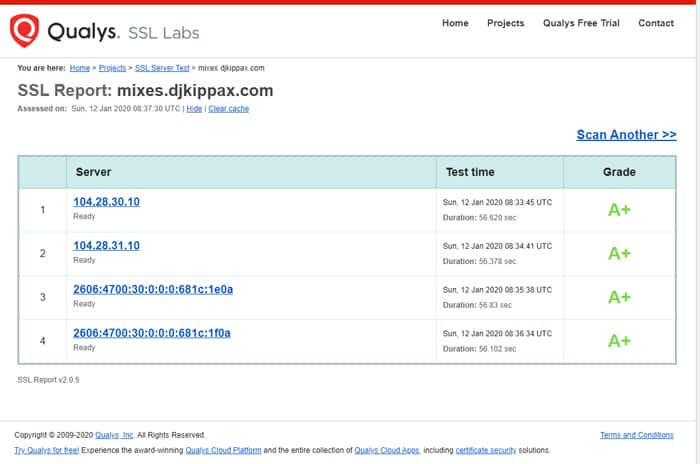
- Installed the Lets Encrypt SSL certificate.
- Used WordPress CLI to change all the database entries from http://mixes.djkippax.com to https://mixes.djkippax.com. Please note with this step I was changing from http to https now that I had installed the SSL cert.
- Once the SSL was working, I reactivated the Cloudflare proxy and enabled strict SSL/TLS encryption.
- I then secured the website using various server-side and website side methods.
- Last, I deleted everything on the website bar the mix pages. I also culled any plug-ins I no longer needed.
- Implemented 301 redirects on djkippax.com and mixes.djkippax.com. Pointing the old mix page addresses to the new subdomain URLs. And pointing some subdomain URLs back to the old website.
- Added the new URLs to each websites’ main menu. And then removed any old unused URLs.
There were other steps. But these were the main ones which I performed.
Using redirects when changing URL structures
If you are wondering what a redirect is, it’s an official way of telling Google that the location of a page has changed.
When a user, or a search engine spider (like Google), click or follow a redirected URL link, the server (or website) should send the user/spider from the old address to the new address. And your server or website should issue the appropriate HTTP code.
There are many HTTP codes, but when redirecting URLs, most of the time we what to issue a 301 redirect. This redirect, and HTTP code, will move users and web crawlers to the new location, whilst telling the web crawlers the location has changed.
Most site users would only notice the change of address if they look at the URL bar in their web browser. If a web crawler detects a 301 change, eventually they’ll update the search results to reflect this change.
Another HTTP code you will have seen on your internet travels is a 404 code – commonly known as ‘page not found’. A server or website will issue this page and HTTP code when a user or spider requests a page which doesn’t exist.
In addition, if you move page/posts around on your website and you don’t implement redirects you will see lots of 404 errors. Because you’ve moved the pages and their addresses the old page addresses no longer exist. And, as a result, 404 pages/codes happen when something requests an address, but your server can’t find that location.
Over the years, I’ve seen a few websites destroy their search engine visibility because they didn’t implement redirects after moving things around. Commonly, this happens because the owners are unaware of how to carry out this work. And the same owners are oblivious of how important redirects are in limiting the negative effects of a website upgrade, move or migration.
Not redirecting pages correctly can cause a loss of site visitors and web rankings. This happens because Google treats all the new addresses as new pages. And if there are any external links pointing to specific site pages, the SEO benefit the old pages were receiving disappears. So, if you’re a website owner, keep this in mind if you decide to move things around.
If you ever change your URL structure implement redirects, otherwise they’ll be consequences.
When changing the URL structure, pay attention to your server logs. These will list any 404 errors happening and the URLs causing them – which you can quickly redirect.
You don’t have to write out every single URL individually. You can use RegEx patterns to create matching rules – this is handy when you have many URLs to redirect and they all follow a similar redirect pattern. RegEx redirect rules are invaluable when dealing with large sites and many pages.
Anyway, moving on…
The negative effects of moving my mixes to a subdomain.
There were some negative effects when moving my mixes to their own server and subdomain. But the benefits (discussed later) far outweigh any of these negative consequences.
Losing my social shares
Moving my DJ mix pages to their own subdomains meant I lost all the social shares on those pages.
However, pages like my hip hop & rap mixtape page, and my house music DJ sets, get a steady stream of likes and shares. So, it won’t be long before those social share numbers climb and reach the numbers they once had.
Besides, aside from social proof, I’m a believer that likes and shares don’t really add any SEO benefit to the pages their on. As a ranking signal, social shares are too easy to game, so I believe Google and Bing probably ignore them.
Two servers: twice the running cost
Because I split my website across two servers my server costs have increased. But the costs are less than if I’d hosted my music files on something like Amazon S3.
As a website grows, it’s inevitable that costs increase. Especially for sites like mine which distribute large music files.
Additional WordPress running costs
Another negative consequence: I had to buy additional copies of some premium WordPress plug-ins I use.
Most premium WordPress plug-in creators treat subdomains as separate websites. Often, you must buy additional licences for every installation of the paid-for plug-in. Not all premium WordPress plug-ins work like this, so if you find yourself in this situation, check your plug-in licence.
Luckily, when I build WordPress websites, I try to use free plug-ins where I can. And only resort to premium plug-ins when needed. This helps to keep my costs down.
However, I use premium WordPress themes for all my websites. Fortunately, many WordPress theme developers offer theme clubs – these allow multiple (often unlimited) theme installations for a yearly fee.
If you’re running a few websites – and building new websites often – these theme clubs can be an effective way of keeping your costs down.
For those interested, I use GeneratePress for this website and the new subdomain. I’ve found Generate Press to be fast, problem-free, and well coded. Plus, it’s one of the cheapest theme clubs on the market.
Displaying the blog posts on the subdomain
My DJ mix pages, and the rest of the site, are now separate entities. This split meant that I now couldn’t display blog posts on my subdomain. Not with WordPress’s native blog post widgets.
My original site, and the new subdomain, have their own databases. And they are on different servers. However, I wanted to display a list of recent posts on my new mixes’ pages.
To display a list of blog posts, and have them auto-update with new content, I utilised the RSS feeds from my main site. This meant installing an RSS feed display plug-in on the mix domain to display the blog posts from the main domain.
Displaying the recent posts on the mixes.dkipppax.com subdomain would do a couple of things like:
- Send users to my new blog pages.
- Improve website spider crawl throughout the whole website. The mix pages are popular and have many external links pointing to them. Meaning, those pages stand a higher chance of being crawled by Google/Bing more often.
- It’d distribute any page-rank type value more thoroughly throughout the website.
Subdomain advantages
Moving the mixes to their own subdomain and server has solved my bandwidth problem. This has been the most important result.
However, even though the new server comes with unlimited bandwidth, there’s a catch. Namely, after my traffic exceeds 1TB in a month the server is throttled.
I can’t see this being much of a problem. It just means it’ll take people marginally longer to download my mixes. However, the blog posts won’t slow down when this throttle penalty happens.
More website speed improvements
Using subdomains has resulted in a further improvement of my web site speed. Because I can now use fewer plug-ins on each DJKippax domain instance.
The mix pages required certain plug-ins to control and manage the downloadable files. And the blog post pages require their own specific plug-ins.
The beauty of separating my blog posts and my mixes means I only need to run certain plug-ins on each website and server. Meaning, I can remove any unneeded plug-ins and run leaner websites on each domain.
Media player
In the past, I had installed a media player plug-in on DJKippax.com. It’s been a few years since I removed it. I removed the media player as it increased the page load times throughout my website.
However, now that I’ve separated my website, I may reinstall the media plug-in again. Although the plug-in does affect page speed, its effects would be isolated to the subdomain.
The media player I’d used in the past was a widget-based player. It wasn’t a Soundcloud or Mixcloud style player (I don’t like using those players for reasons discussed here).
Anyway, after you hit play, the media player widget would stream and cycle through all my mixes (given enough time). Many of my users reported they’d leave it playing whilst they were gaming or doing other stuff. I assumed people would just use the player to quickly review a mix which they liked before downloading it. I was wrong.
My last point illustrates that people often use your website in ways you don’t expect.
Podcast
Years ago, I also used to distribute my DJ mixes via podcast. For this functionality, I used a free WordPress podcasting plug-in. I removed this plug-in well before the recent growth in the popularity of podcasts.
I deleted the podcast plug-in as it wasn’t being used. It seemed like a waste in resources considering how few subscribed.
However, back then my website traffic was much smaller. Now, I have many more site visitors. Plus, podcasting has grown in popularity in recent years.
So, this might be another music marketing avenue worth pursuing in the future. And another way to promote my DJ mixes.
Conclusion
Overall, I’m happy with the decision to split this website. The split will solve my main problem: the mixes consuming ever more bandwidth as my visitor numbers grow.
The extra costs imposed by splitting the website are marginal. If the traffic and download numbers increase on the DJ mix page, and I’m hitting well over my 1TB traffic limit, I can always upgrade the server.
I will monitor this over the coming months. And I’ll report any problems here.
However, as I stated before, you don’t want to change your site structure unless you need to. It’s a bloody complicated process even with a small site like mine. And many unforeseen problems can happen.
Plus, changing a site structure usually results in a temporary drop in traffic and visitors. So, I expect to see a dip in my web traffic for my DJ mix pages – but they should eventually recover. How long this takes I don’t know.

Well written solution
Thanks Pete.